For Mac  ·  Free forever  ·  No account, ever

Fly through your tasks.
Every action, one key.

Built for keyboard speed. Every view, every task, every action — without touching your mouse. Your data stays on your Mac. No account. No subscription. No cloud.

Download for Mac — Free Watch it work
macOS 12+ Apple Silicon (M1–M4) ~25 MB v1.0.0
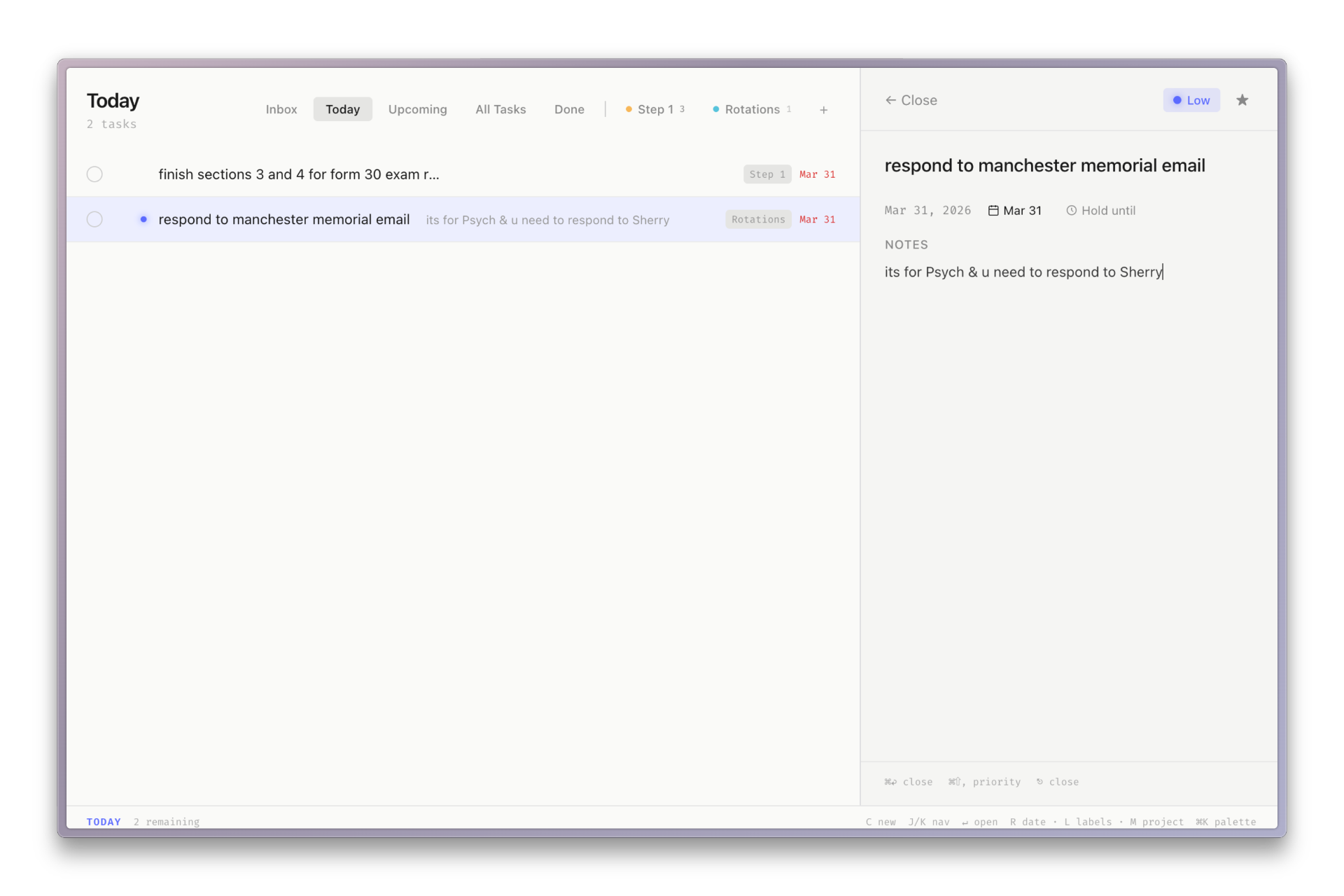
SuperTasks — Today view with task detail panel open
22+

Keyboard shortcuts built in. Every action, every view, every task. Not one reason to touch your mouse.

The problem

Every other app is fighting you.

You open a task manager to work. Instead you get subscriptions, accounts, sync errors, and a UI that buries the task list three menus deep. SuperTasks just gets out of your way.

Command palette

Everything, one keystroke away.

One shortcut. Everything unlocked.

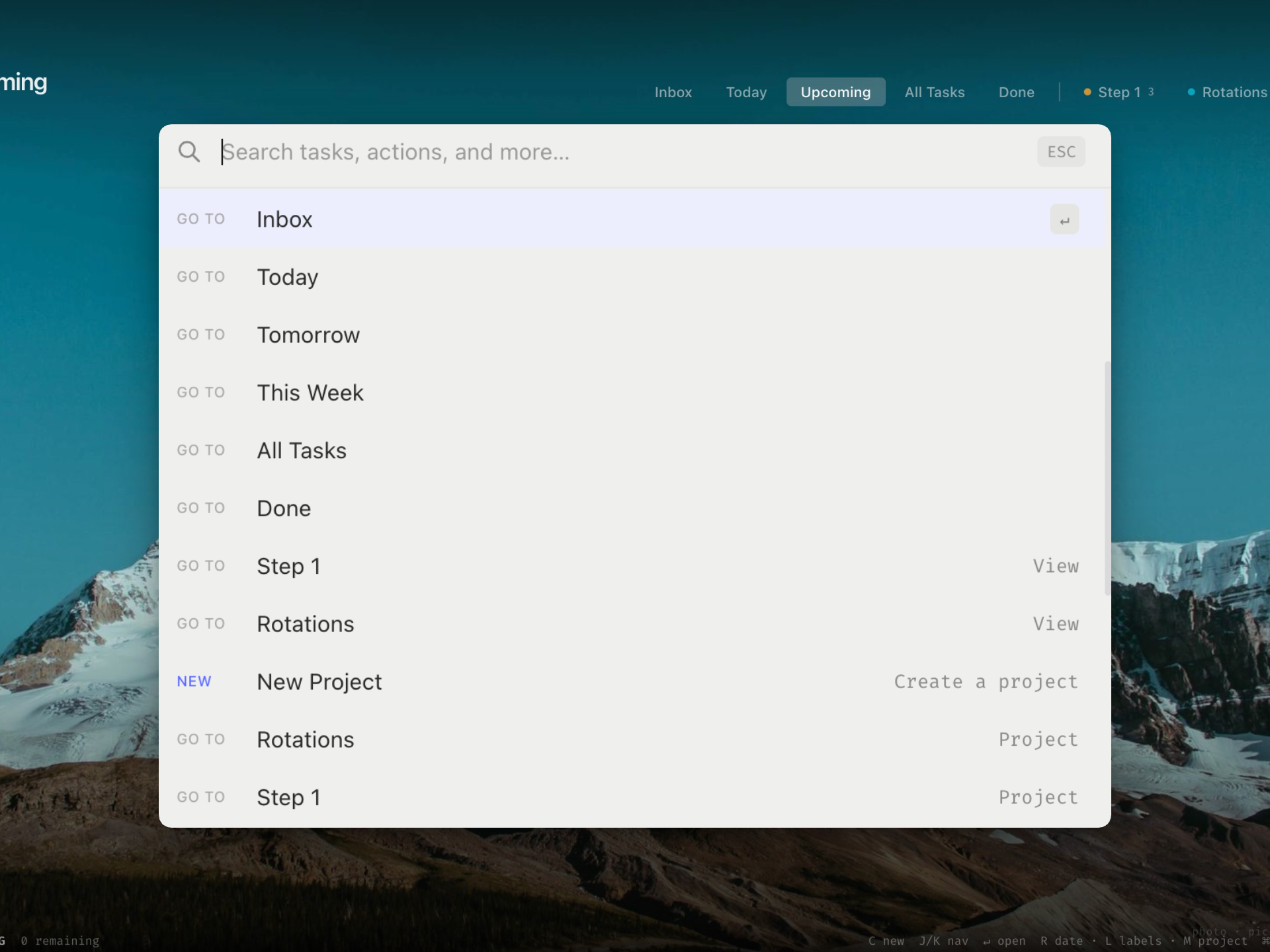
Press ⌘K and every action is one selection away. Navigate to any view, find any task, run any command — hands never leaving the keyboard.

Used commands surface automatically. Shortcut hints show inline. It gets faster the more you use it.

SuperTasks command palette showing navigation and view options
Task detail

Full context. Never leaving the list.

Side panel. No navigation.

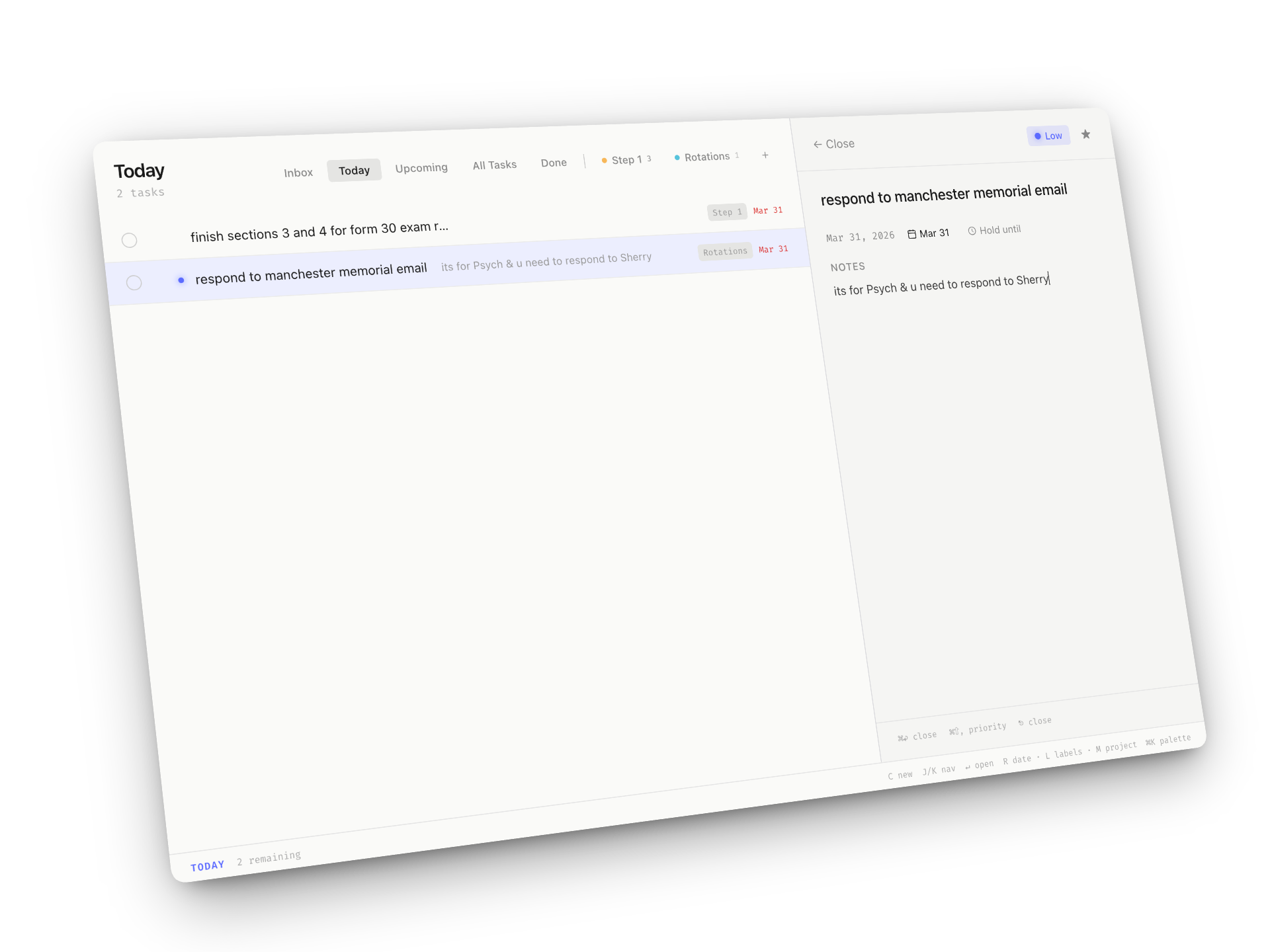
Hit Enter and a detail panel slides in — priority, due date, project, notes. Everything in reach without losing your place in the list.

Four priority levels. Hold a task until a future date and it vanishes until you need it. Notes save as you type. No modals, no separate pages.

SuperTasks task detail panel with notes, priority, and due date
Inbox zero

Empty never felt this good.

A daily reward for finishing

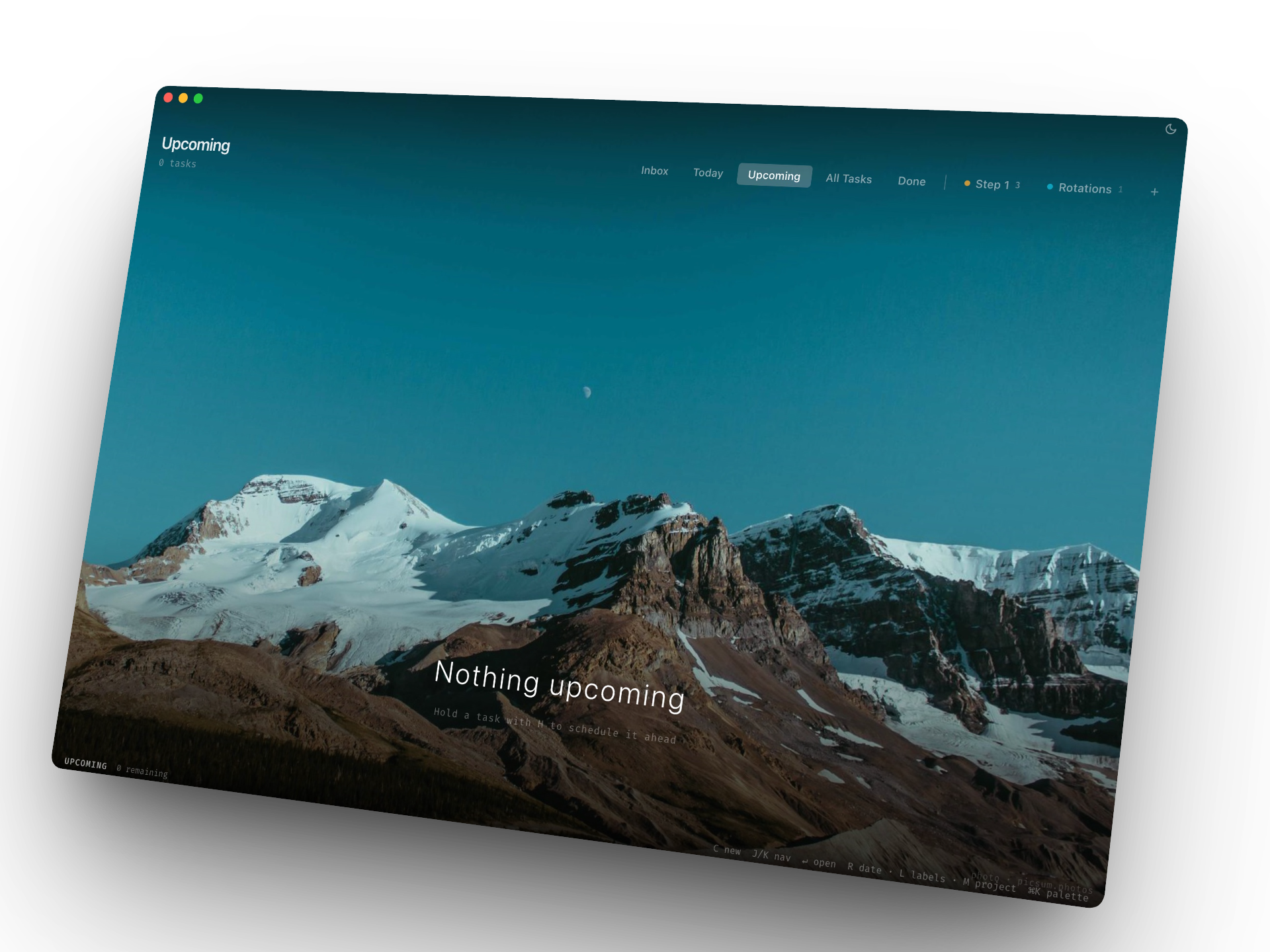
Clear your list and SuperTasks doesn’t show you a blank page. It shows you a full-screen landscape photo — a new one every day, with a greeting that knows the time of day.

It turns inbox zero from a fleeting moment into something you actually look forward to. A quiet signal: you’re done. Go live your life.

SuperTasks inbox zero screen showing a mountain landscape
Download for Mac — Free

No account  ·  No email  ·  Works in seconds

$0

Per month. Per year. Forever. Every feature included. No trial. No nag. No paywall.

Built for

People who think faster than they click.

The keyboard native

You live in your terminal, editor, and browser. Every tool you trust is keyboard-first. Your task manager should be no different.

The deep worker

Context-switching kills flow. You want to capture a task, schedule it, and get back to work in under five seconds. No modals, no friction.

The subscription refugee

You’ve paid for Todoist, tried Things 3, and still feel like you’re renting your own productivity. You want software you own. This is it.

Shortcuts

Learn a few. Forget the mouse.

From inbox to done. No mouse, no menus, no detours.

Tasks
New taskC
Open / edit
Toggle doneD
Star / flagS
Set due dateR
Hold untilH
LabelsL
ProjectM
Delete
Navigate
Move down / upJ / K
Close / go backEsc
G-chord  —  press G then…
InboxG I
TodayG T
TomorrowG N
This WeekG W
All / DoneG A / D
Jump to Split 1–9G 1–9
Global
Command palette⌘K
Undo⌘Z
Show shortcuts⌘/
Toggle dark / light⌘⇧L
Settings/
Select for bulkX
Bulk done⌘D
Bulk delete⌘⌫
Pricing

Free.
Not free-ish.

No trial that expires. No Pro tier. No getting nickel-and-dimed.
SuperTasks is free software, full stop.

Everything included
$0
Per month  ·  Forever
  • Unlimited tasks, projects & labels
  • All 22+ keyboard shortcuts
  • Split views — up to 5 custom filtered tabs
  • Command palette & global quick-add
  • Priority, labels, due dates, hold-until, notes
  • Your data on your Mac — no cloud, always offline
  • Dark mode & light mode
  • Full undo stack (⌘Z)
  • All future updates, free
Download free for Mac

No account created. No email required.

Want to say thanks?

No cloud means no servers, which means nothing to charge you for. If SuperTasks saves you an hour a week, a coffee goes a long way.

☕ Buy me a coffee
Compare

How it stacks up.

Built for solo Mac users who live on the keyboard. If that’s you, the choice is obvious.

SuperTasks Todoist Things 3 Apple Reminders
Price Free $4–8/mo $49.99 Free
No account needed
Local storage ~
Keyboard-first ~ ~
Command palette
Custom filtered views ~ ~
Open data format

~ = partial support  ·  April 2026

“I built SuperTasks because I was tired of paying $8 a month to be interrupted by upgrade prompts in my own task manager. Your tasks should live on your Mac, every action should be one keystroke away, and it should cost exactly nothing.”
— Ali Mirza, maker of SuperTasks

Frequently asked.

Is it really free? What’s the catch?+
No catch. SuperTasks is free software. No Pro tier, no trial, no feature gating. Your data lives on your Mac — there are no servers to run, which means there’s nothing to charge you for. If it earns your support via Ko-fi, great. If not, that’s fine too.
Where is my data stored?+
In a local SQLite database on your Mac — typically at ~/Library/Application Support/SuperTasks/tasks.db. Open it with TablePlus, DB Browser for SQLite, or script against it however you like. It’s your data.
Does it sync with iPhone?+
Not yet. iOS sync is on the roadmap. Sign up for the newsletter below to get notified when it ships. Your SQLite file isn’t going anywhere in the meantime — it’ll migrate cleanly when sync arrives.
What if you stop developing it?+
Your data is in a standard SQLite file. It doesn’t disappear if the app does. Open it with any SQLite browser, export it, or build a migration script. No lock-in by design — that’s a feature, not a footnote.
Does it work offline?+
100%, always. There’s no network dependency at all. The core app works in airplane mode, on a flight, in a basement. Everywhere.
Do I need to be a developer to use it?+
Not at all. The J/K shortcuts for moving up and down take about five minutes to get used to — after that, everything clicks. If you use keyboard shortcuts in any app, you can use SuperTasks. The only requirement is a Mac.
How is it different from Things 3?+
Things 3 is a genuinely polished app — it’s beautiful. The difference is philosophy. Things 3 is designed around visual hierarchy and mouse navigation. SuperTasks is built around the keyboard: Vim-style movement, G-chord view switching, a command palette for every action. If you type faster than you click, you’ll feel the difference within minutes. Also: SuperTasks is free and Things 3 costs $49.99.

iOS sync is coming.

Drop your email and we’ll let you know when it ships. Two emails a year, max.

No account created. Unsubscribe anytime.

✓ You’re on the list.

Get started

Your tasks are waiting.
Start now.

Everything set up in under a minute. Press C, add your first task, and you’re already moving faster than before.

Download for Mac — Free
macOS 12+ Apple Silicon (M1–M4) ~25 MB No account needed
01

Download

Click above. The .dmg opens in seconds.

02

Install

Drag to Applications. First launch: right-click → Open.

03

Go

Press C. Add your first task. Done.

22+
Keyboard shortcuts
$0
Per month, forever
0
Accounts required